Know when IT controls fail. Keep the evidence. Be ready to explain what happened.
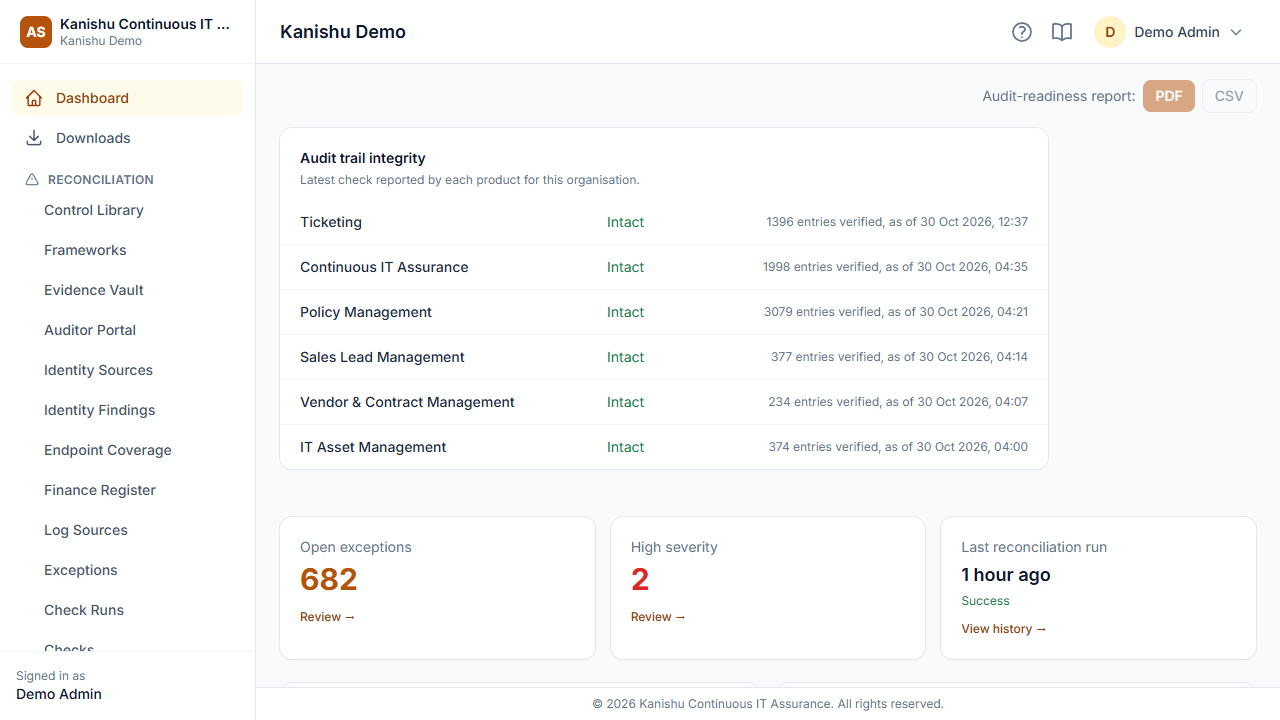
Kanishu Assurance checks defined operational controls across your connected Kanishu products, flags exceptions, tracks remediation, verifies reported audit-trail integrity and helps organise supporting evidence for review.
The problem
Audit gaps surface during the audit, not before it
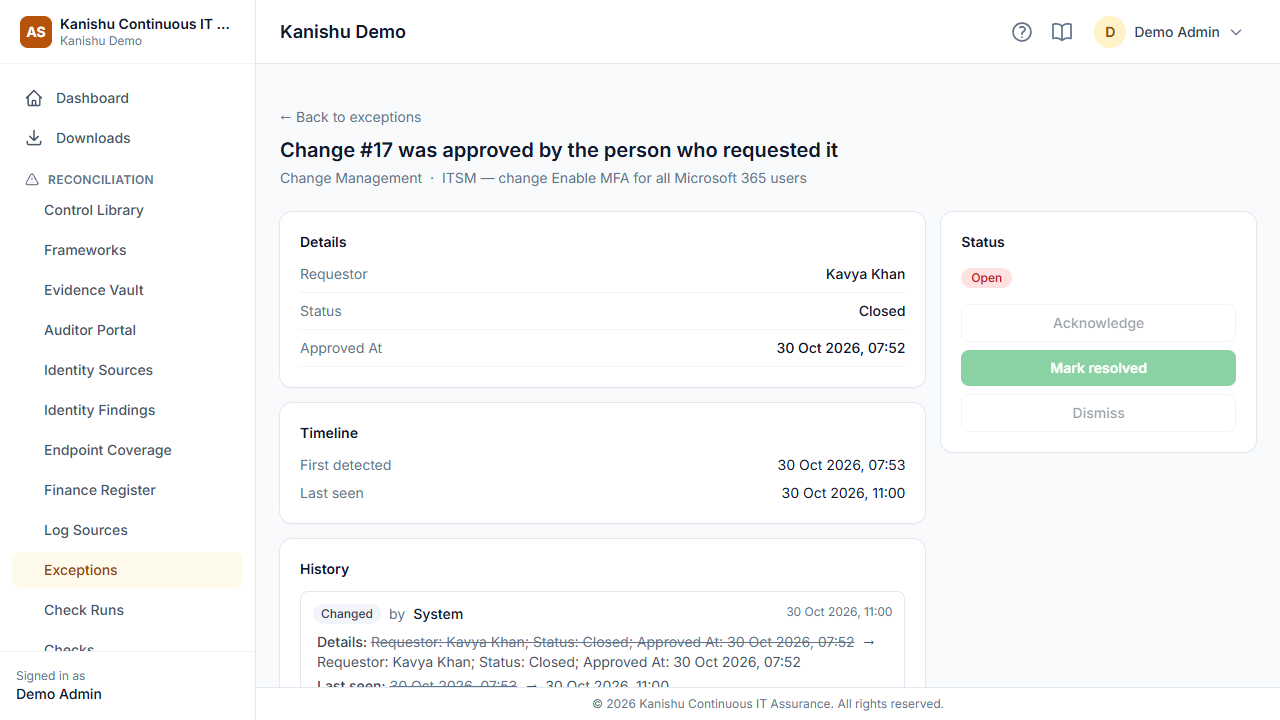
Evidence is gathered in a scramble, and the gaps an auditor finds first — a change approved by its own requester, a disposed laptop with no wipe record — were sitting in your systems all year.
What changes with Continuous IT Assurance
Gaps found daily, not yearly
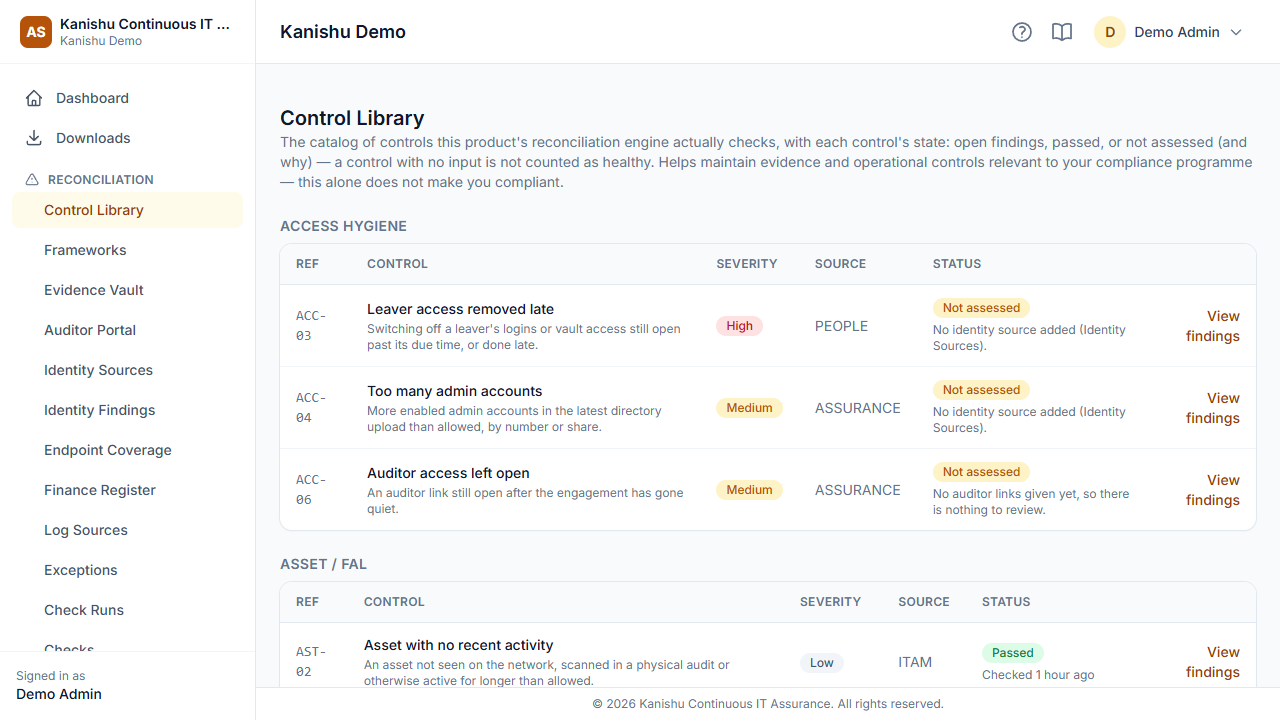
Checks run every day across your Kanishu products and land in one worklist, most severe first.
Findings that reflect reality
Fix the cause and the finding closes itself; mark it done while it still happens and it reopens.
Evidence in one place
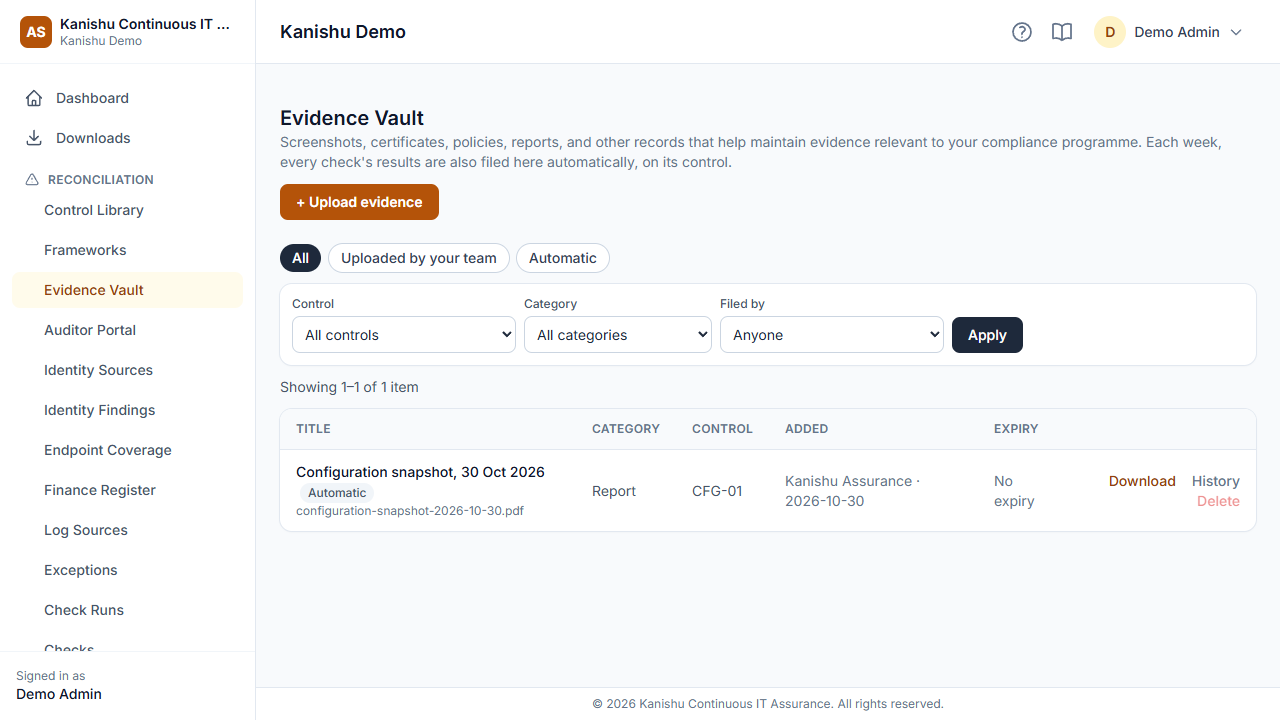
Weekly check results filed against each control automatically, next to the evidence you upload — ready for your auditor.
A view auditors can use
A read-only, time-limited auditor link — every visit recorded.
Key capabilities
What Continuous IT Assurance does across its plans. Availability and limits vary by plan — each capability below shows the plan it starts on, and the comparison lists every difference.
Take the 3-minute tour
Continuous IT Assurance with sample data — the screens your team would use every day.
See it


Works with the rest of Kanishu
IT Asset Management
Depreciation and disposal records are cross-checked.
Ticketing (ITSM)
Incidents without root cause and changes without proper approval are flagged.
Vendor & Contract Management
Renewal risk and vendor onboarding gaps are flagged.
Everything Continuous IT Assurance does
Every capability, grouped by what it's for — not a feature-name soup.
Asset & Fixed-Asset-Ledger Reconciliation
Incident & Root-Cause Reconciliation
Change Management Reconciliation
Growth and aboveVendor & Contract Reconciliation
Business and aboveFindings & Remediation Tracking
Controls, evidence and auditors
Reconciliation Runs & Scheduling
Reporting & Analytics
Team & Access Management
Security
Integrations
Security
Plans & pricing
Capabilities marked "All plans" above are in every plan; higher plans add capacity and the capabilities marked with the plan they start on.
Starter
Growth
Business
Full plan comparison
| Included | Starter | Growth | Business |
|---|---|---|---|
| Users | 3 | 10 | Unlimited |
| Evidence storage | 5 GB | 25 GB | 100 GB |
| Asset/Fixed-Asset-Ledger reconciliation | |||
| Incident & root-cause reconciliation | |||
| Daily automatic reconciliation | |||
| Findings worklist and dashboard | |||
| MFA for any user, and moving between products | |||
| Change Management reconciliation | — | ||
| Run checks on demand | — | ||
| Control library, evidence vault and auditor portal | — | ||
| Vendor & Contract reconciliation | — | — | |
| Custom report builder | — | — | |
| Identity sources (account reviews against leavers in People) | — | — | |
| Require MFA (for admins only, or for everyone) | — | — | |
| Organisation-wide change log and export | — | — | |
| Joiners, movers and leavers (People) | — | — | |
| Automatic login changes for joiners and leavers | — | — | |
| Single sign-on with your identity provider (SAML: Entra ID, Google, Okta) | — | — | |
| Email support (first reply within 3 business days) |
Questions
Does Assurance need the other products?
It reads the Kanishu products you use, so the more of them you have, the more it can check. Its evidence store and auditor access work on their own.
Can I buy just this product?
Yes. Every Kanishu product is sold and billed on its own. Start with one and add others later from the same account — no bundle.
Do the products share one sign-in?
Your team moves between the Kanishu products your organisation uses without signing in again. Each product keeps its own roles and permissions, and People keeps one directory of your staff for all of them.
What happens when we reach a plan limit?
Your admins get an email at 80% and again at 100% of a limit. Nothing is deleted: at the limit you can't add more until you free some up or upgrade, and the usage is shown on your My Plan page.
Do you issue GST invoices?
Yes — a GST tax invoice in rupees for every payment.
What support do you offer?
Support is by email, from inside the product (Contact Support) or by replying to our emails. We reply within 3 business days on every plan, and within 1 business day on plans that include priority support. Business days are Monday to Friday, 9:00 to 17:00 India time. We don't offer chat or phone support.
Using more than one part of your IT stack?
See how Continuous IT Assurance connects with the rest of the suite — one account, single sign-on, and cross-linked records.
How the suite works together