Policies that stay current — with control mapping and evidence built in.
Create, approve, publish and track policies in one controlled workflow. Link live policies to relevant regulatory controls, identify gaps in policy coverage, and maintain a clear record of versions, approvals and employee acknowledgements.
The problem
Policies exist, but nobody can prove who read them
Documents live in shared folders in several versions, reviews slip past their dates, and showing an auditor that staff acknowledged the current version is guesswork.
What changes with Policy Management
One current version
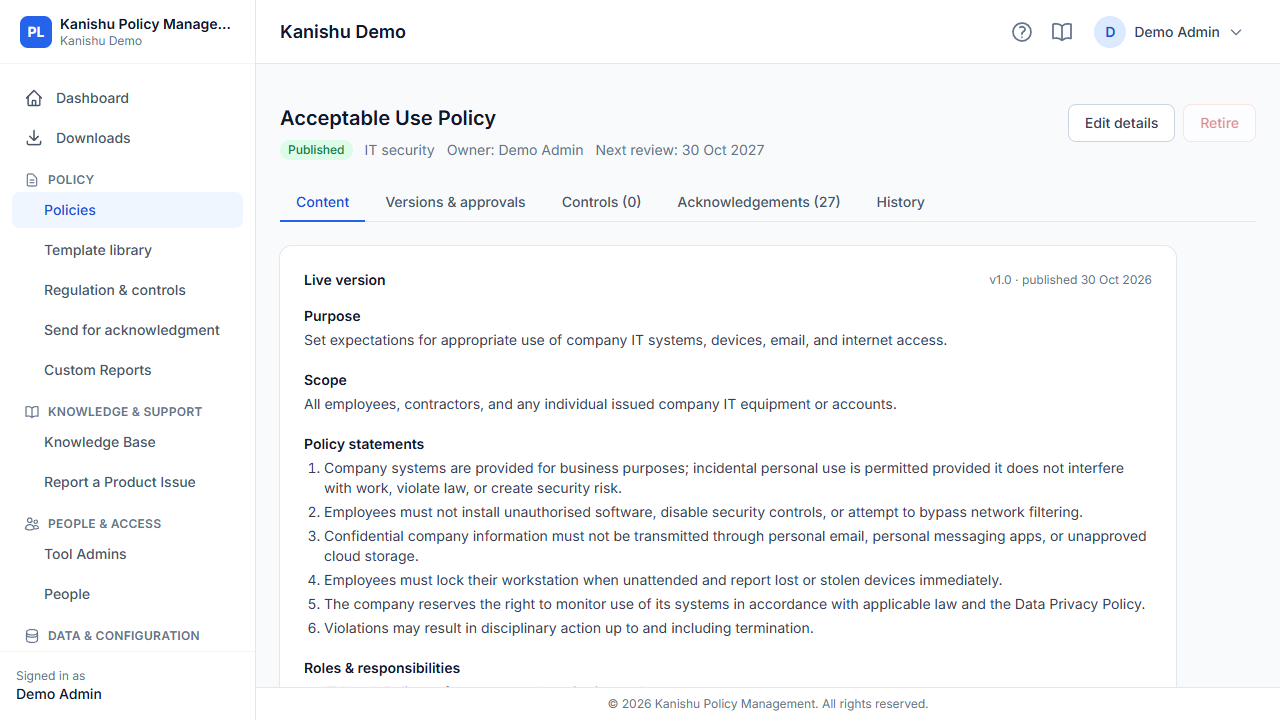
Draft, review and approve policies with every version kept and the approved one always clear.
Recorded policy acknowledgement
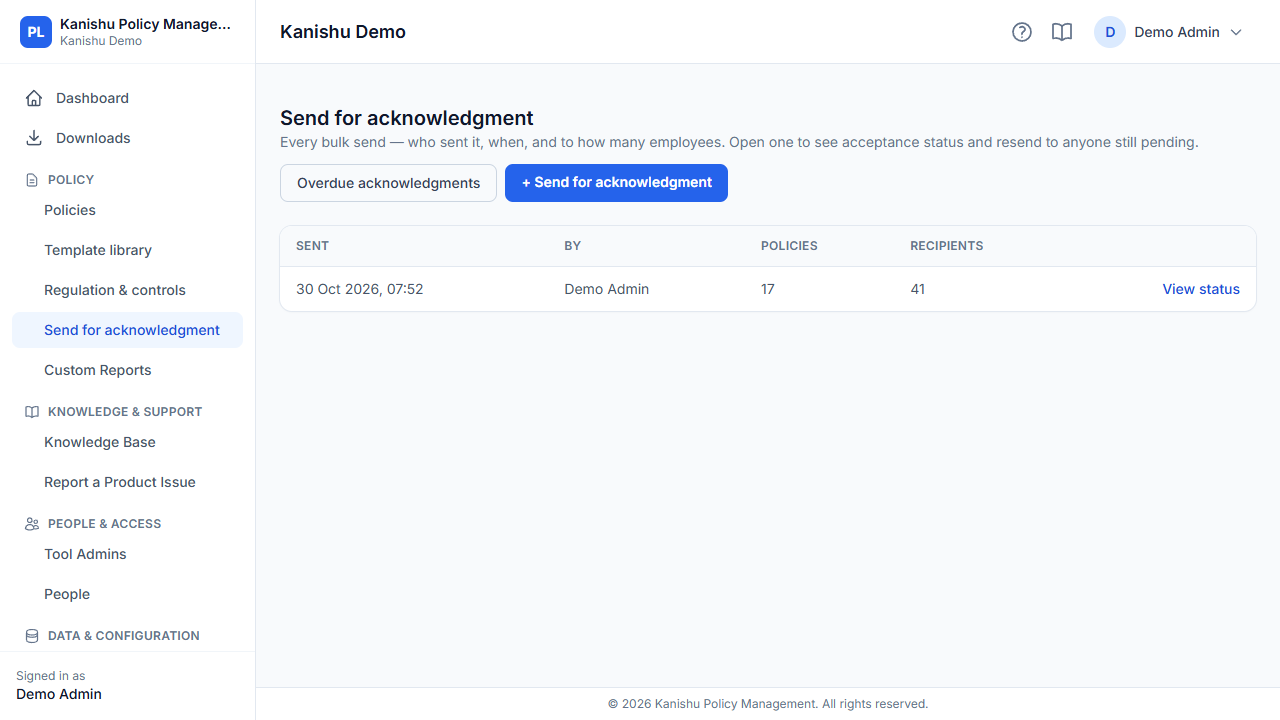
Send read-and-acknowledge links and see when each person opened and acknowledged the exact version.
Reviews that happen
Reminders before a policy's review date, so policies don't quietly go stale.
Mapped to your controls
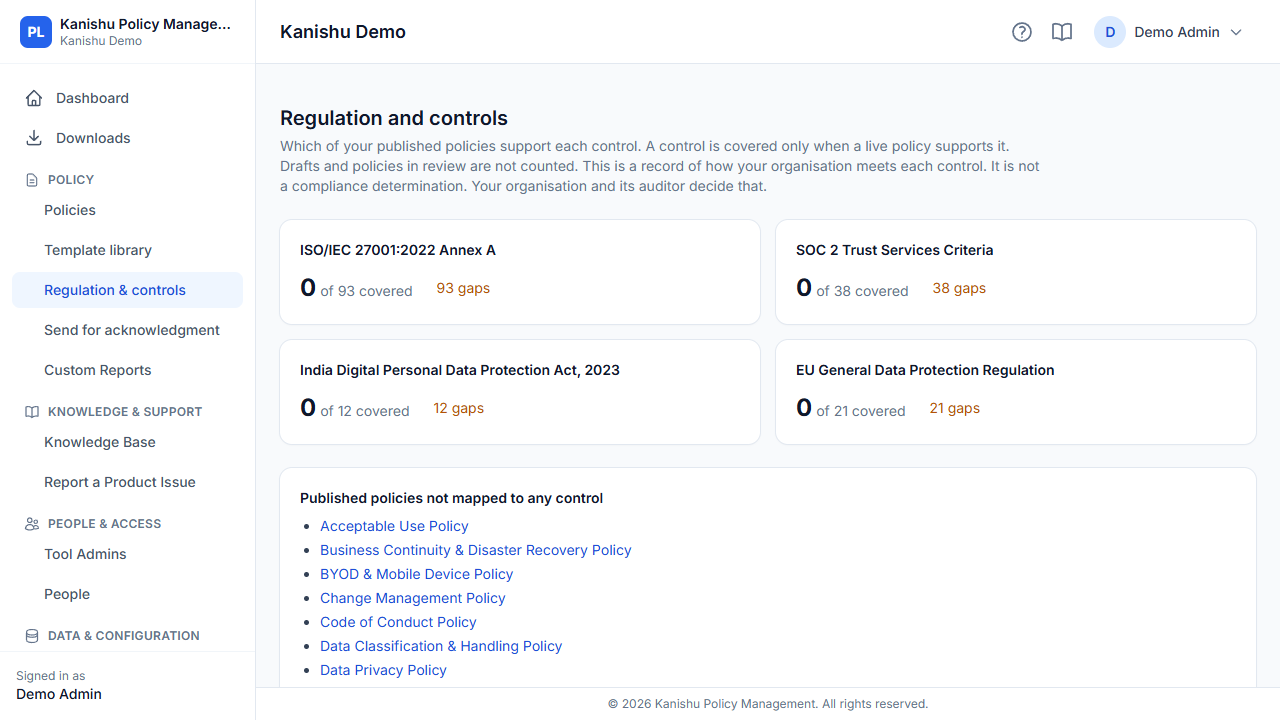
Link policies to the controls and regulations they cover, and see the gaps.
Key capabilities
What Policy Management does across its plans. Availability and limits vary by plan — each capability below shows the plan it starts on, and the comparison lists every difference.
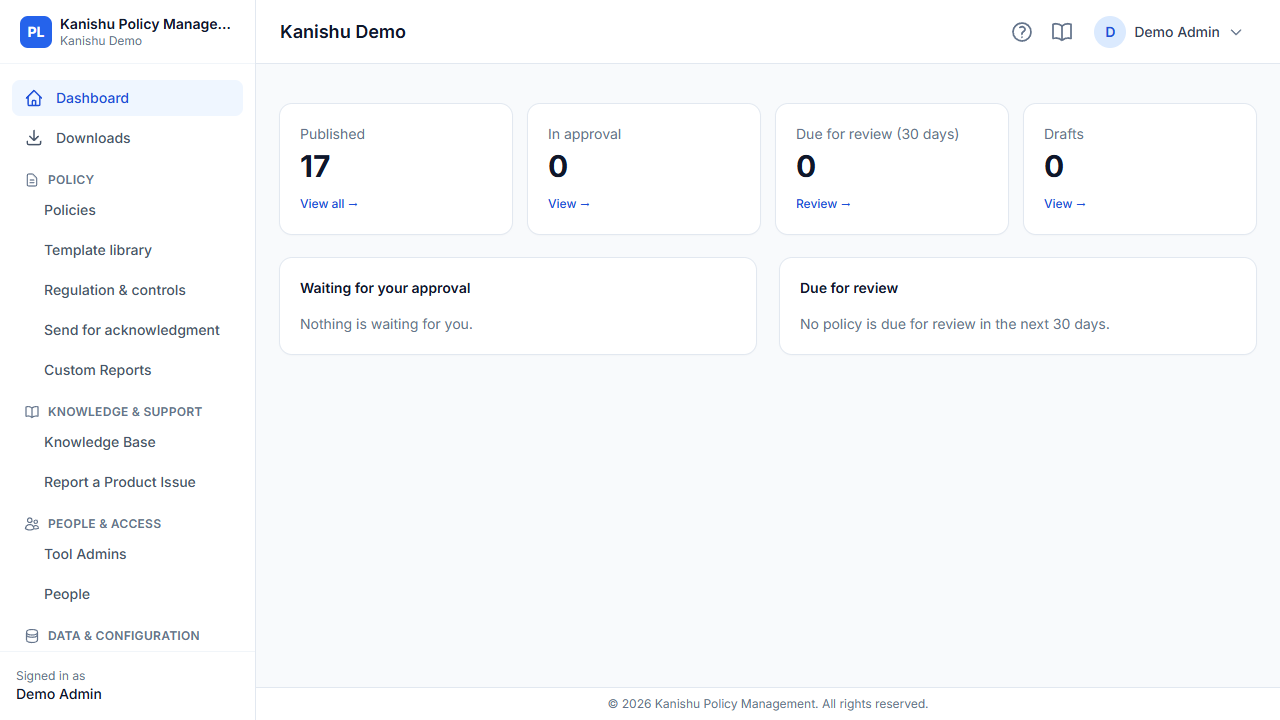
Take the 3-minute tour
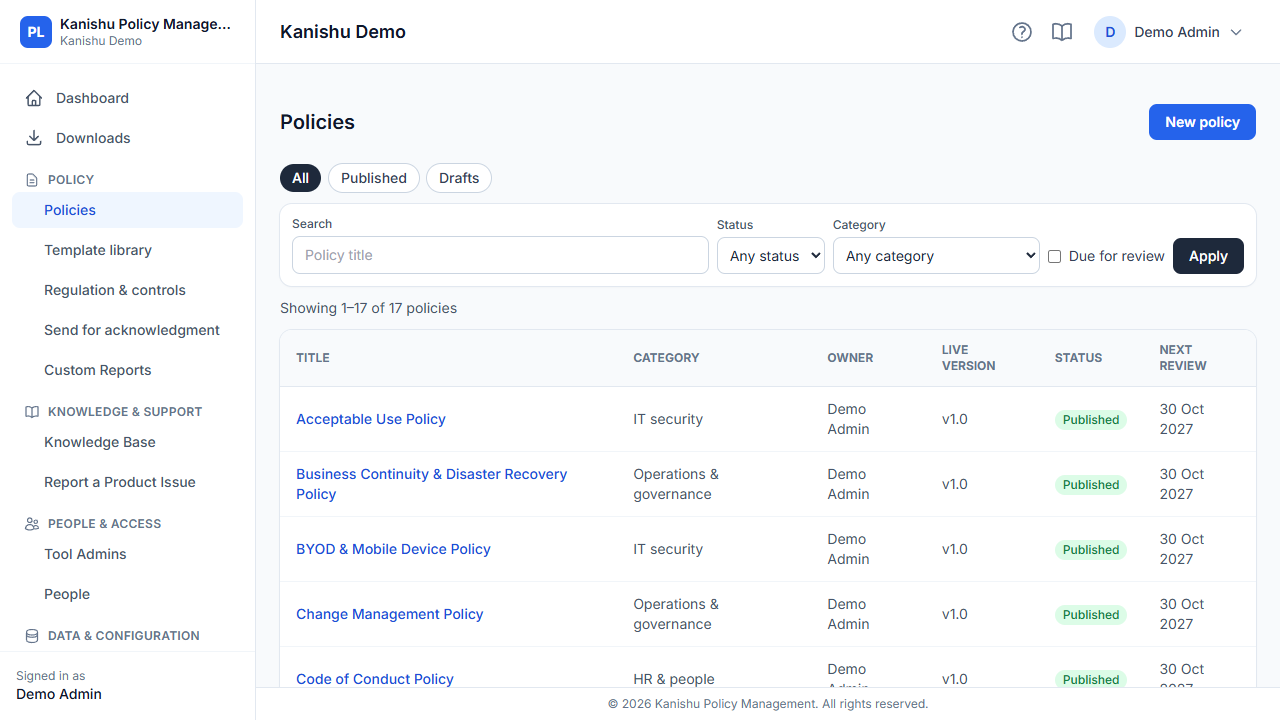
Policy Management with sample data — the screens your team would use every day.
See it
Works with the rest of Kanishu
IT Asset Management
Choose policies that go to each person given equipment, to read and acknowledge.
People
Mark a policy to be sent automatically to every new joiner.
Continuous Assurance
Policies are mapped to the same controls Assurance checks; with acknowledgement campaigns (Business), overdue acknowledgements become Assurance findings.
Everything Policy Management does
Every capability, grouped by what it's for — not a feature-name soup.
Policy library
Ownership, versions and approvals
Reviews and reminders
Publishing and read records
Audit trail
Regulation and controls
Business and aboveSecurity
Plans & pricing
Capabilities marked "All plans" above are in every plan; higher plans add capacity and the capabilities marked with the plan they start on.
Starter
Growth
Business
Full plan comparison
| Included | Starter | Growth | Business |
|---|---|---|---|
| Policies | 10 | 30 | 200 |
| Product users (create, edit or approve) | 2 | 5 | 25 |
| Read-only logins and document viewers | Unlimited | Unlimited | Unlimited |
| Built-in policy templates | |||
| Approval chains | Single-step | Multi-step | Multi-step |
| Version comparison | — | ||
| Review reminders and automatic review drafts | |||
| Publish policies to your own site (read-only API) | — | ||
| Read-and-accept links and read register | |||
| Read events feed for your own systems | — | ||
| Full audit history | |||
| Regulation and control mapping | — | — | |
| Acknowledgement campaigns with deadlines and overdue exceptions | — | — | |
| API calls a day, per function | 200 | 500 | 5,000 |
| API clients (integrations without a login) | — | 2 | 5 |
| Signed API requests (an HMAC on every call) | — | — | |
| Email support (first reply within 3 business days) | |||
| Priority support (first reply within a business day) | — | — | |
| Custom report builder | — | — | |
| Require MFA (for admins only, or for everyone) | — | — | |
| Organisation-wide change log and export | — | — | |
| Joiners, movers and leavers (People) | — | — | |
| Automatic login changes for joiners and leavers | — | — | |
| Single sign-on with your identity provider (SAML: Entra ID, Google, Okta) | — | — |
Questions
Do employees need a login to acknowledge a policy?
No. They get a secure link, open the policy and accept it; the acknowledgement is recorded against the exact version.
Can I buy just this product?
Yes. Every Kanishu product is sold and billed on its own. Start with one and add others later from the same account — no bundle.
Do the products share one sign-in?
Your team moves between the Kanishu products your organisation uses without signing in again. Each product keeps its own roles and permissions, and People keeps one directory of your staff for all of them.
What happens when we reach a plan limit?
Your admins get an email at 80% and again at 100% of a limit. Nothing is deleted: at the limit you can't add more until you free some up or upgrade, and the usage is shown on your My Plan page.
Do you issue GST invoices?
Yes — a GST tax invoice in rupees for every payment.
What support do you offer?
Support is by email, from inside the product (Contact Support) or by replying to our emails. We reply within 3 business days on every plan, and within 1 business day on plans that include priority support. Business days are Monday to Friday, 9:00 to 17:00 India time. We don't offer chat or phone support.
Using more than one part of your IT stack?
See how Policy Management connects with the rest of the suite — one account, single sign-on, and cross-linked records.
How the suite works together