Something new is coming up soon from Kanishu — stay tuned.
Kanishu ITSM Smarter Service. Happier Users.

Run IT support with structure, automation and accountability — without enterprise complexity.

Manage incidents and service requests, coordinate multi-team fulfilment, route and escalate tickets automatically, track response and resolution targets, and share knowledge across your Kanishu products.

The problem

Requests arrive by email, chat and corridor — and nobody can say what is late

Without one queue, work is chased by memory: who owns this, what is breaching, why does the same laptop keep failing. Answers to "how are we doing" take a spreadsheet and an afternoon.

What changes with Ticketing

Every request in one queue

Tickets from the portal and from your own support mailbox, routed by category to the right team.

Targets you can keep

SLA clocks that respect business hours and holidays and pause while you wait on the customer. Every ticket shows its live SLA status, and breaches are flagged within 15 minutes.

Fewer repeat incidents

Repeat problems on the same asset are spotted and pushed toward a root-cause fix instead of another quick patch.

Changes with a paper trail

Change requests with risk, plans and rollback, approved before work starts — or pre-approved through an approved standard change.

Key capabilities

What Ticketing does across its plans. Availability and limits vary by plan — each capability below shows the plan it starts on, and the comparison lists every difference.

SLA-backed ticketing with automatic escalation
Change Management, Problem Management, Major Incident workflows
Searchable Knowledge Base shared across the whole suite
Email-to-ticket and API access on Growth tier and above

Take the 3-minute tour

Ticketing with sample data — the screens your team would use every day.

See it
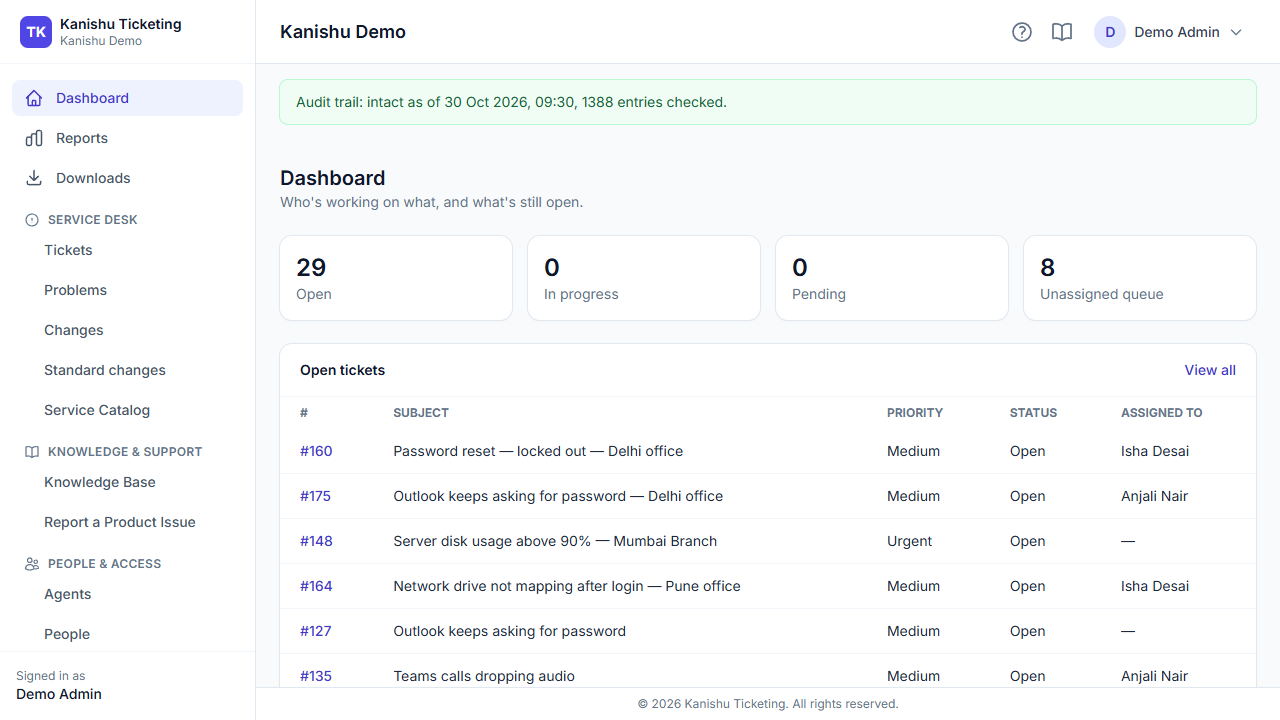
Open work, SLA risk and team load at a glance.
Dashboard. Open work, SLA risk and team load at a glance.
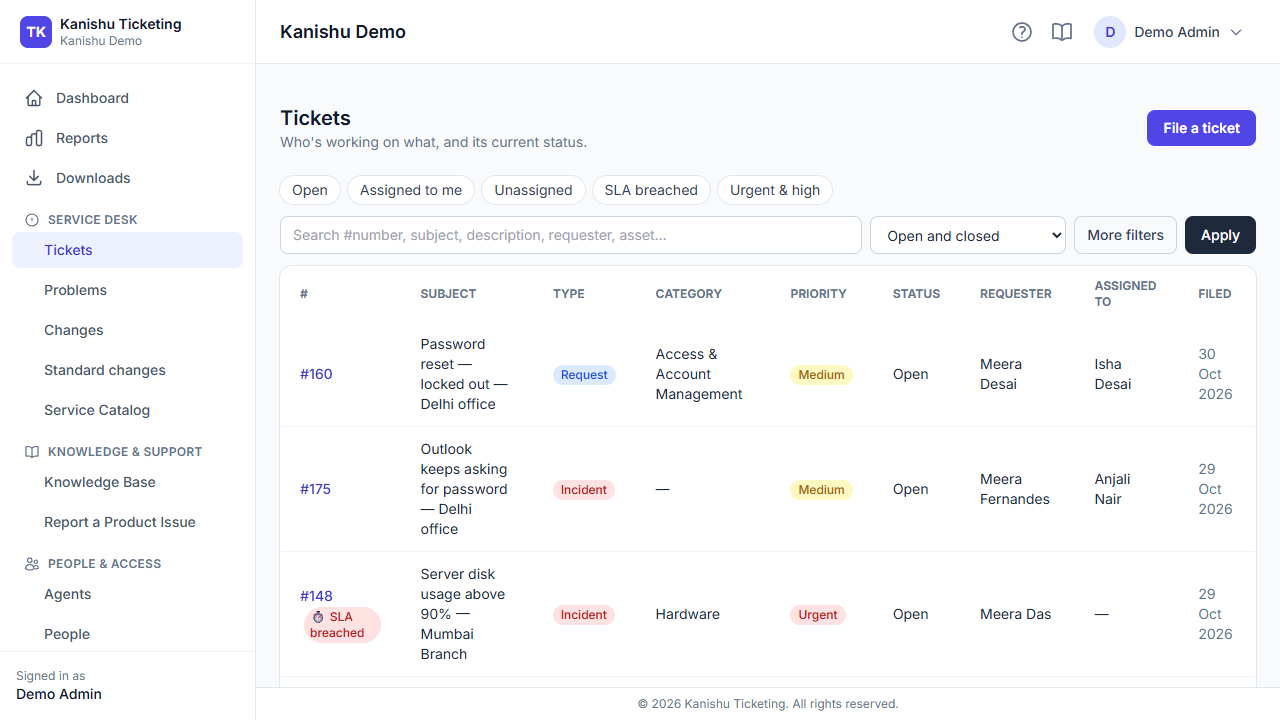
All tickets with priority, SLA status and assignee; filter and search.
Tickets. All tickets with priority, SLA status and assignee; filter and search.
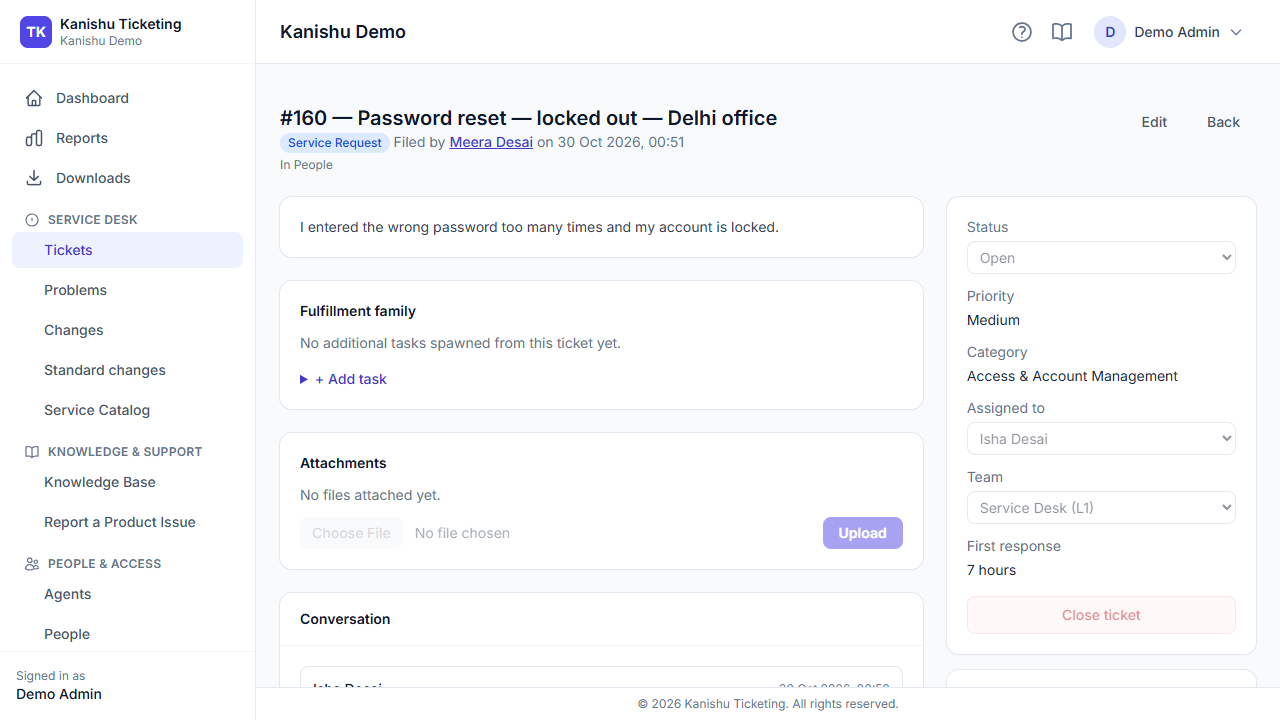
Conversation, SLA, priority reasoning, related asset and similar incidents.
A ticket. Conversation, SLA, priority reasoning, related asset and similar incidents.
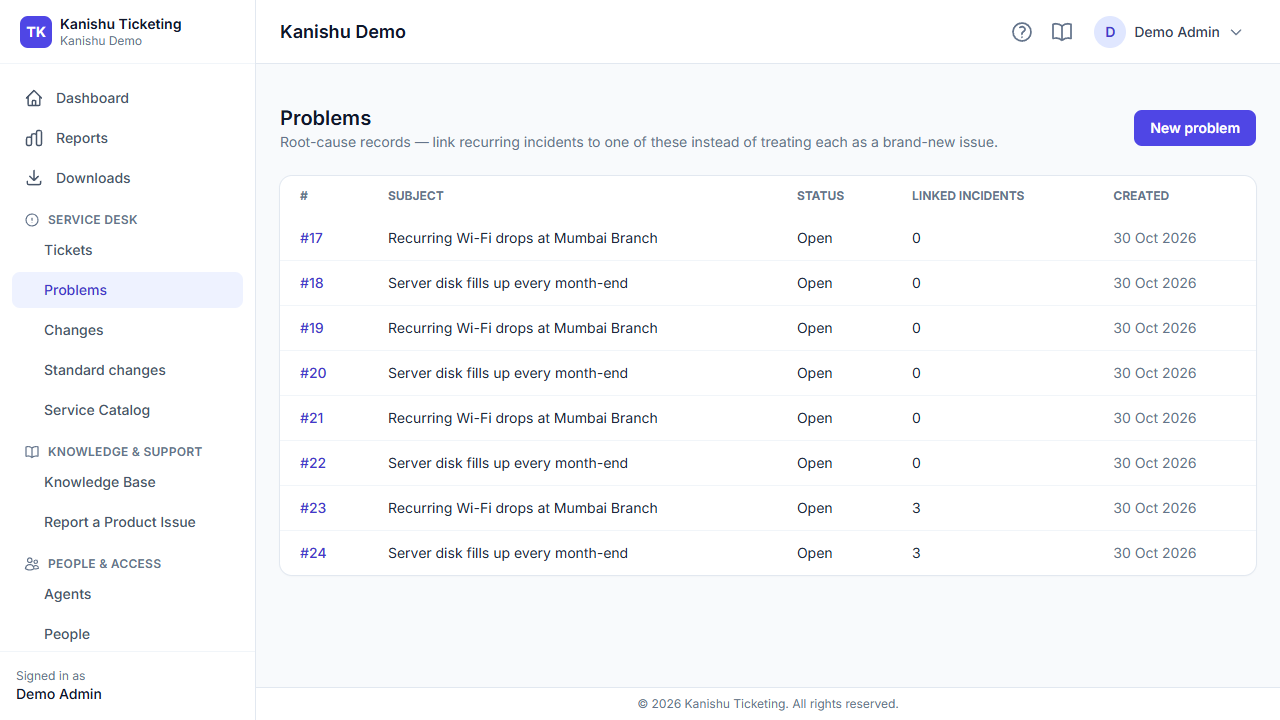
Recurring incidents grouped under a problem and its root cause.
Problems. Recurring incidents grouped under a problem and its root cause.
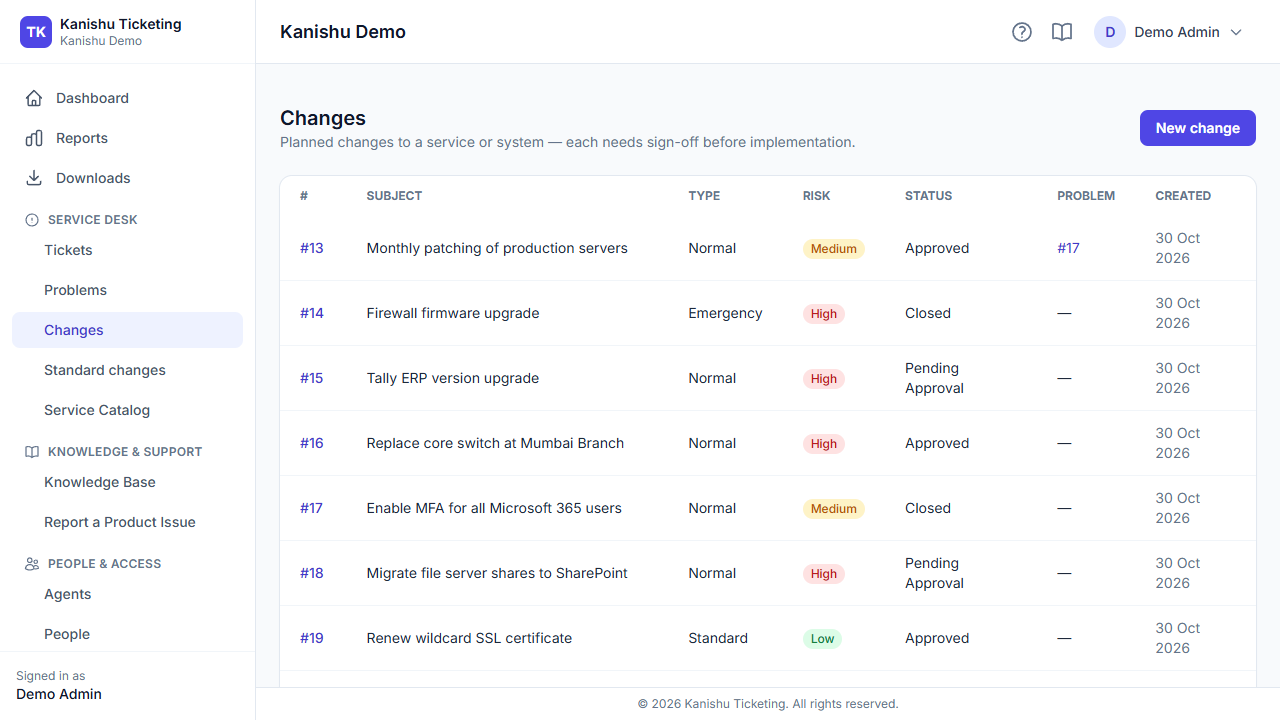
Change requests with approvals, risk and affected configuration items.
Changes. Change requests with approvals, risk and affected configuration items.
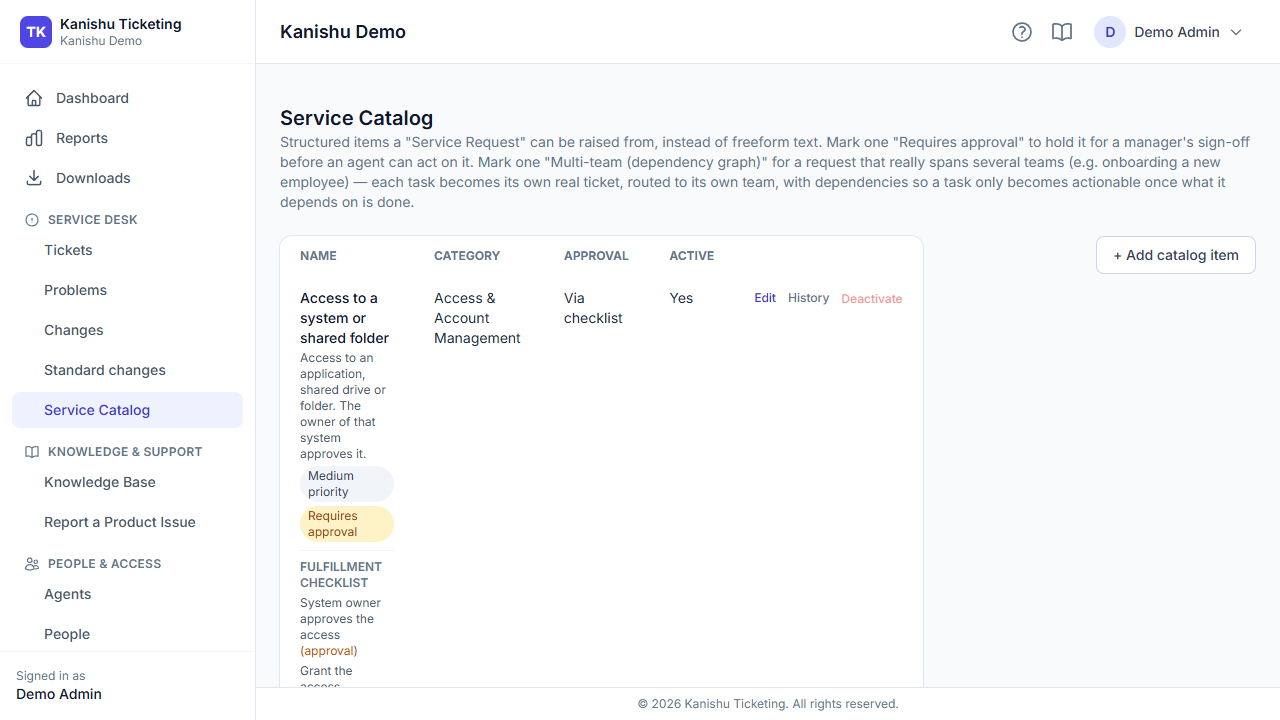
Everyday requests with their approvals and fulfilment steps, ready to use.
Service catalogue. Everyday requests with their approvals and fulfilment steps, ready to use.
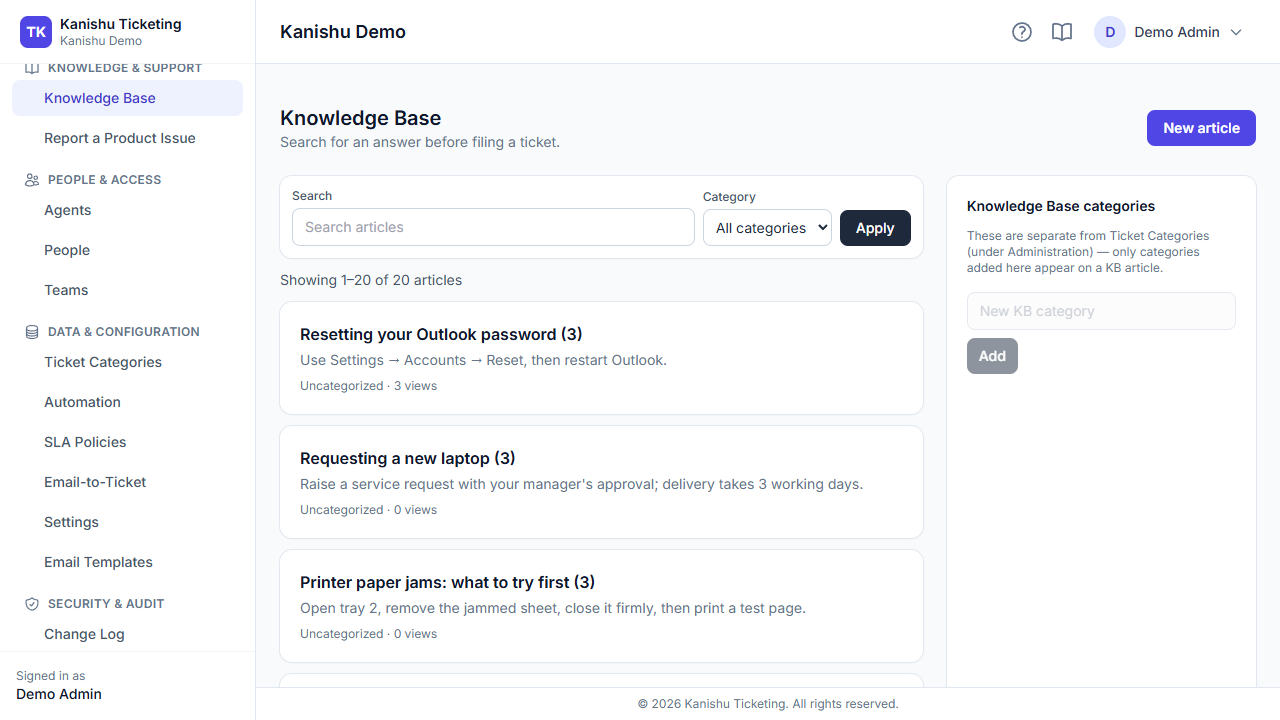
Articles by category, searchable from every Kanishu product.
Knowledge base. Articles by category, searchable from every Kanishu product.
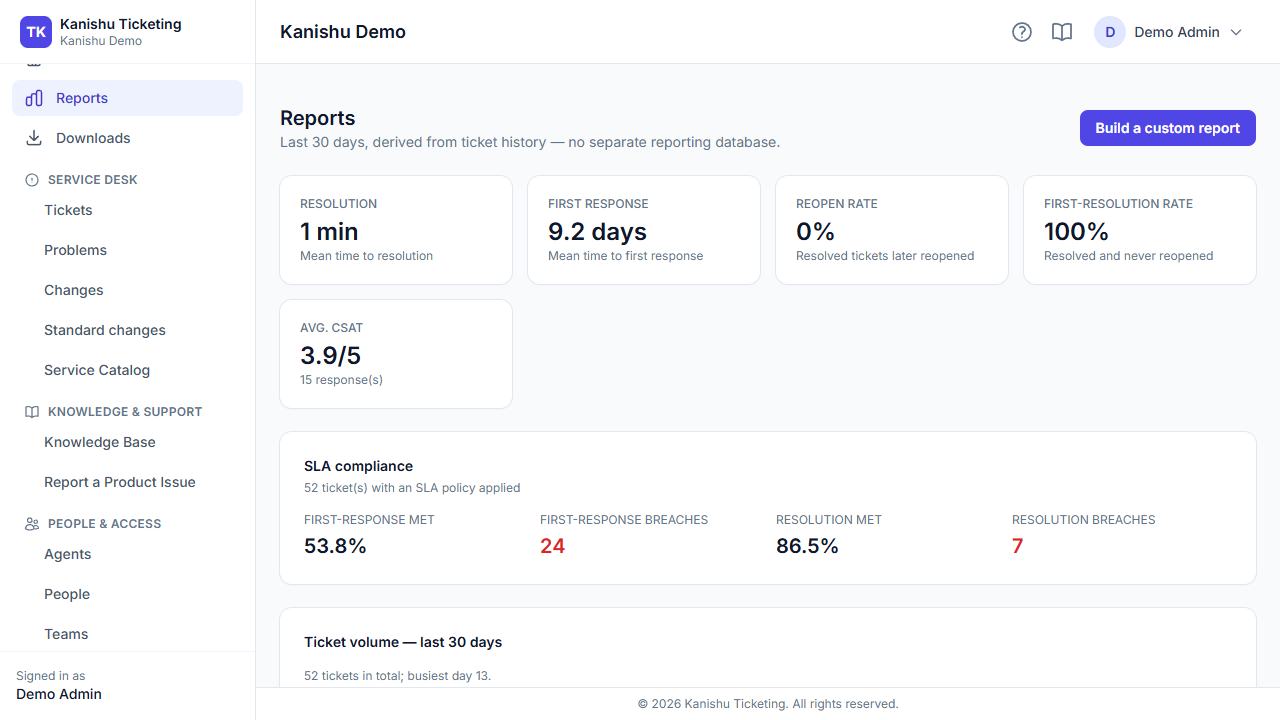
Volume, SLA performance and satisfaction reports, plus a report builder.
Reports. Volume, SLA performance and satisfaction reports, plus a report builder.

Works with the rest of Kanishu

IT Asset Management

Link tickets to assets and see an asset's ticket history (Growth and up); on ITAM's Business plan, raise a ticket straight from an asset.

Vendor & Contract Management

A vendor issue can be escalated straight into a ticket your support team works as usual.

Continuous Assurance

Changes approved by their own requester, or incidents closed without a root cause, are flagged automatically.

Everything Ticketing does

Every capability, grouped by what it's for — not a feature-name soup.

Ticketing Core

Incident & service request tickets (All plans)
Two ticket types and four priorities. A ticket moves from Open to Closed — through In progress, Pending, Blocked and Resolved, or ends as Cancelled or Not applicable — only along the allowed transitions.
A complete ticket view (All plans)
Conversation thread, attachments, category, live SLA countdown, linked records, full history, and fulfillment checklist, all in one screen.
File attachments (All plans)
On tickets and individual replies, up to 10MB each, securely scoped per conversation.
Public replies & private internal notes (All plans)
Agents can discuss a ticket privately before replying to the requester.
Workaround flagging (All plans)
Mark a reply as a documented workaround, feeding directly into root-cause and Knowledge Base work later.
Search, filter, and sort (All plans)
Every ticket list, by subject, status, date, priority.
Role-aware visibility (All plans)
Requesters see only their own tickets; agents see their queue; managers see everything.
Security-sensitive ticket isolation (All plans)
Hide a ticket from the normal queue, visible only to specifically authorized staff and its own requester.
Assignment & reassignment (All plans)
With permission-aware visibility of who can take a ticket.
Team/queue routing (All plans)
Independent of individual assignment, with new tickets auto-routed by category.
One-click tier escalation (All plans)
Moves a ticket to the next support team up, reassigns it, logs the handoff and notifies the receiving team.
Ticket relationships (All plans)
Link tickets as duplicates, related issues, or blocking/blocked-by.
Configurable categories (All plans)
Each with its own default routing team.
Full audit trail (All plans)
Every status, priority, assignment, and category change automatically logged and viewable.
Proactive recurring-incident detection (All plans)
Suggests linking a ticket to a Problem record when it touches the same asset as several recent tickets.

Service Catalog & Request Fulfillment

Growth and above
A real service catalog (Growth+)
A curated list of requestable services or items your end users pick from.
Built-in approval workflows (Growth+)
Require manager approval before work begins on any catalog item or step.
Fulfillment checklists (Growth+)
Define the ordered steps a request needs, locked in at request time, with individually gated approvals per step.
Requests that need several teams (Growth+)
For work like employee onboarding, each step becomes a ticket for the right team, and a step opens only when the steps it depends on are done.

SLA Management

SLA policies by priority (All plans)
Targets by priority, or one organisation-wide default.
SLA policies per category (Business+)
Different targets per ticket category, alone or combined with priority.
Business-hours-aware SLA clocks (All plans)
A weekly calendar plus holidays, so overnight hours and holidays don't count against your targets.
Automatic pause and resume (All plans)
A ticket waiting on the customer or a vendor pauses its SLA clock automatically.
Automatic breach detection (All plans)
A background check every 15 minutes flags first-response and resolution breaches, and every ticket shows its SLA status as it stands.
Always-visible SLA status (All plans)
Met, breached, or time remaining, for both first response and resolution, on every ticket.

Change Management

Growth and above
Structured change requests (Growth+)
Standard, normal, or emergency types, with risk classification, implementation plan, rollback plan, and scheduling.
Approval before work starts (Growth+)
Normal and emergency changes start pending approval and need sign-off from someone allowed to approve changes. A change linked to an approved standard change is pre-approved within that standard's scope.
Outcome tracking (Growth+)
Record whether a change succeeded, failed, or partially succeeded, building a real success track record.
Cross-referenced with related Problems (Growth+)
Raise a change specifically to fix a known Problem.
Full audit history (Growth+)
On every change record.

Problem Management

Dedicated root-cause records (All plans)
Separate from day-to-day tickets, tracking investigation status and the documented root cause.
Link any incident to its Problem (All plans)
Build a clear picture of every ticket caused by the same underlying issue.
Automatic resolution timestamps & full audit history. (All plans)

Major Incident Management

Business and above
One-click Major Incident declaration (Business+)
Escalates to Urgent, assigns an incident commander and notifies every support manager.
Stand-down when resolved (Business+)
Clear the commander while the incident record is permanently kept for post-incident review.

Knowledge Base

A real self-service article library (All plans)
Categorized, with a draft/published workflow and an internal-only option.
Search and browse by category (All plans)
For agents and end users alike.
Helpful / not-helpful feedback (All plans)
On every article, so you can see what's actually working.
View-count tracking (All plans)
Per article, to spot your most and least useful content.
Available suite-wide (All plans)
Readable from inside ITAM and Vendor & Contract Management too.

Automation

A real rule engine (All plans)
Trigger automated actions on ticket creation or when a ticket has been idle too long, matched by category, priority, and type.
Automated actions (All plans)
Auto-assign, set priority, route to a team, send an email, or call an external webhook.
Automatic self-clearing (All plans)
Any real activity on a ticket clears a standing "aging" flag automatically.
Rule count scales with plan (All plans)
3 rules on Starter, 15 on Growth, unlimited on Business and Enterprise.

Email-to-Ticket

Growth and above
Real inbound mailbox integration (Growth+)
Every incoming email to your support address becomes a ticket, attachments included (PDF, Word, Excel, images, text, CSV and ZIP, up to 10 MB each). The mailbox is checked every few minutes.
Smart reply-threading (Growth+)
A reply to an existing ticket notification is added to the right conversation instead of creating a duplicate.
Works for people with no account (Growth+)
Captures the sender's details and routes replies straight back to their inbox.
Instant manual check (Growth+)
Trigger an immediate mailbox poll to confirm your setup is working.

Customer Satisfaction (CSAT)

Growth and above
Post-resolution satisfaction survey (Growth+)
A quick 1–5 rating with an optional comment, once per ticket.
CSAT reporting (Growth+)
Company-wide and broken down per agent.

Reporting & Analytics

A live operational dashboard (All plans)
Current open, in-progress, pending and resolved counts, and your own active tickets.
A full reporting suite (All plans)
Ticket volume trends, category breakdowns, per-agent performance, mean time to resolve, mean time to first response, reopen rate, first-resolution rate and SLA compliance — from real activity.
Full audit-history views (All plans)
For tickets, users, categories, changes, and problems.

Team & Access Management

Role-based permissions (All plans)
Three built-in roles with sensible defaults, plus individual overrides for exceptions.
Simple invitations (All plans)
Teammates set their own password via a secure link.
Self-service password reset (All plans)
Separate from the everyday change-password flow.
Support teams / agent groups (All plans)
Organize agents into tiers with configured escalation paths.
Multi-organization login handling (All plans)
A clear picker when the same email belongs to more than one company account.

Security

Multi-Factor Authentication (MFA) (All plans)
Any user can turn on TOTP-based MFA, with QR set-up and one-time recovery codes. Making it compulsory is on Business and above.
Move between Ticketing and other Kanishu products (All plans)
Into ITAM, Vendor & Contract Management and the rest without signing in again, and back.
Account lockout protection (All plans)
Repeated failed logins automatically lock an account temporarily.

Integrations & API

Growth and above
Self-service API access requests (Growth+)
Request a token with specific scopes; a manager reviews and approves it.
Cross-product asset & vendor linking (Growth+)
Search for and link a real ITAM asset or VCM vendor record directly from a ticket.
Per-asset ticket history (Growth+)
See how many tickets have ever referenced the same asset, license, or vendor.
Configuration-item context (Growth+)
See a linked asset's broader relationship map right alongside the ticket.

Security

Each organisation's business records are kept in its own database, separate from every other customer's.
Multi-factor authentication any user can turn on; on Business and above, admins can make it compulsory.
Role-based access, adjustable person by person, permission by permission.
A history on every record — who changed what and when — in a chained audit log, so a later edit to the log is detectable.
Secrets you give a product, such as integration passwords and API keys, are encrypted at rest and never shown again once saved; an API token is shown once, when it is issued.

Plans & pricing

Capabilities marked "All plans" above are in every plan; higher plans add capacity and the capabilities marked with the plan they start on.

Starter

INR 399 per agent /mo

Minimum 3 agents — from INR 1,197/mo

Growth

INR 899 per agent /mo

Minimum 3 agents — from INR 2,697/mo

Business

INR 1,599 per agent /mo

Minimum 5 agents — from INR 7,995/mo

Enterprise

INR 2,499 per agent /mo

Minimum 10 agents — from INR 24,990/mo

Full plan comparison

Included Starter Growth Business Enterprise
Minimum agents billed 3 3 5 10
Requesters (end users who raise tickets) Unlimited & free Unlimited & free Unlimited & free Unlimited & free
Ticketing core, SLA, Knowledge Base, Problem Management
Service Catalog & approval workflows —
CSAT surveys & reporting —
Automation rules 3 15 Unlimited Unlimited
Change Management —
Email-to-ticket —
Self-service API & cross-product linking —
Major Incident Management — —
Moving between Ticketing and other Kanishu products without signing in again
API calls a day, per function — 500 5,000 Unlimited
API clients (integrations without a login) — 2 5 20
Custom report builder — —
SLA policies per ticket category — —
Require MFA (for admins only, or for everyone) — —
Organisation-wide change log and export — —
Joiners, movers and leavers (People) — —
Signed API requests (an HMAC on every call) — — —
Email support (first reply within 3 business days)
Priority support (first reply within a business day) — — —
Automatic login changes for joiners and leavers — — —
Single sign-on with your identity provider (SAML: Entra ID, Google, Okta) — — —
Standard changes (pre-approved routine changes, with approval and review) —

Questions

Can customers email us to raise a ticket?

Yes, on Growth and up: connect your own support mailbox and each new email becomes a ticket; replies thread onto the same ticket.

Can I buy just this product?

Yes. Every Kanishu product is sold and billed on its own. Start with one and add others later from the same account — no bundle.

Do the products share one sign-in?

Your team moves between the Kanishu products your organisation uses without signing in again. Each product keeps its own roles and permissions, and People keeps one directory of your staff for all of them.

What happens when we reach a plan limit?

Your admins get an email at 80% and again at 100% of a limit. Nothing is deleted: at the limit you can't add more until you free some up or upgrade, and the usage is shown on your My Plan page.

Do you issue GST invoices?

Yes — a GST tax invoice in rupees for every payment.

What support do you offer?

Support is by email, from inside the product (Contact Support) or by replying to our emails. We reply within 3 business days on every plan, and within 1 business day on plans that include priority support. Business days are Monday to Friday, 9:00 to 17:00 India time. We don't offer chat or phone support.

Using more than one part of your IT stack?

See how Ticketing connects with the rest of the suite — one account, single sign-on, and cross-linked records.

How the suite works together
← Back to all products